Contracts are still often exchanged by email. That can mean manually checking information, copying data and entering it into your own system.
XConnect makes that process easier.
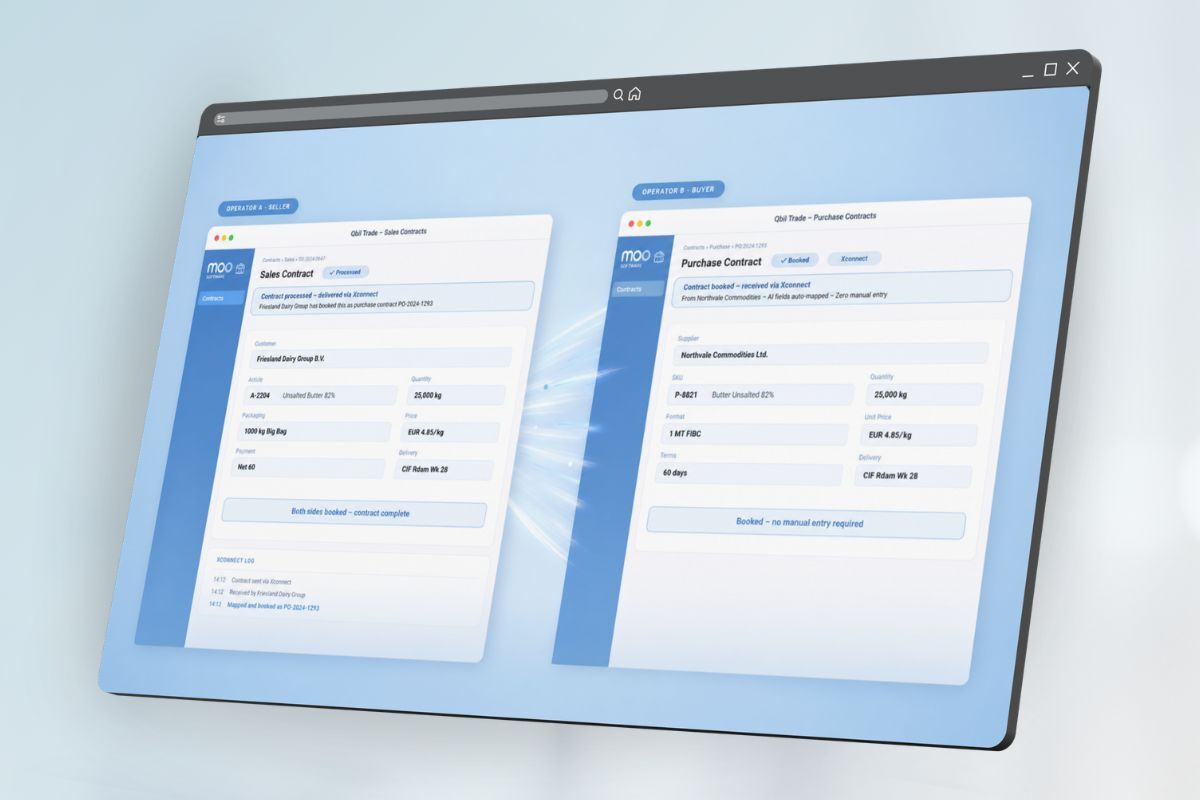
When two trading partners use XConnect, they can exchange Contracts directly through a secure, central connection.
From one system to the other
Send a Contract from Moo and, if your trading partner is connected to XConnect, it arrives directly in their Documents received.
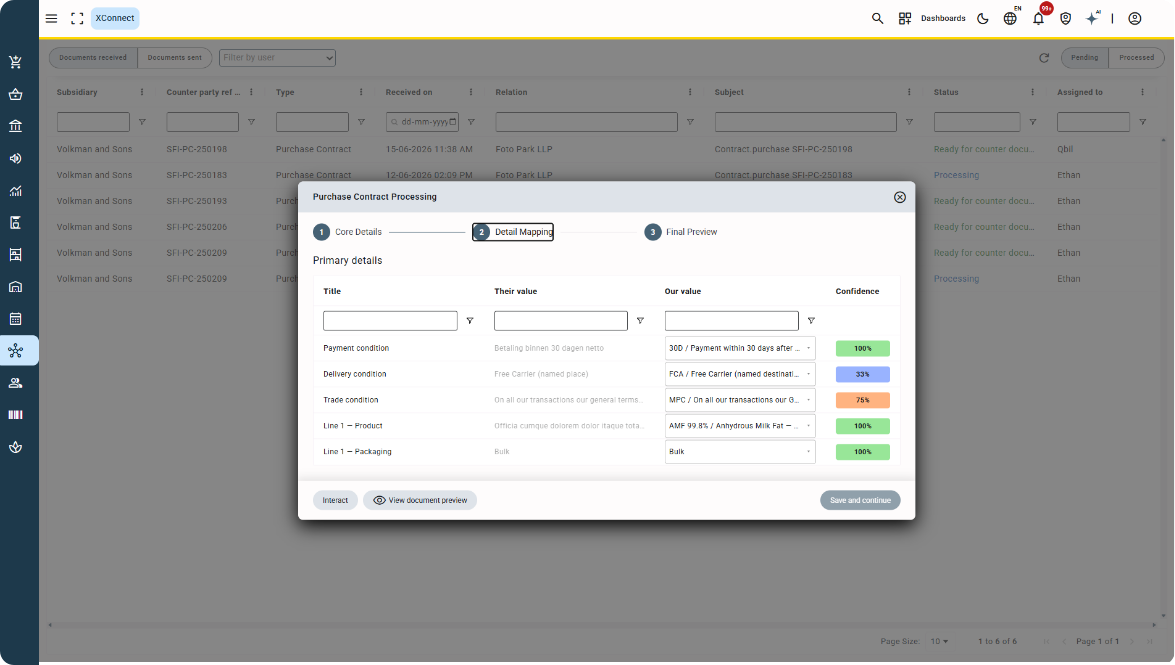
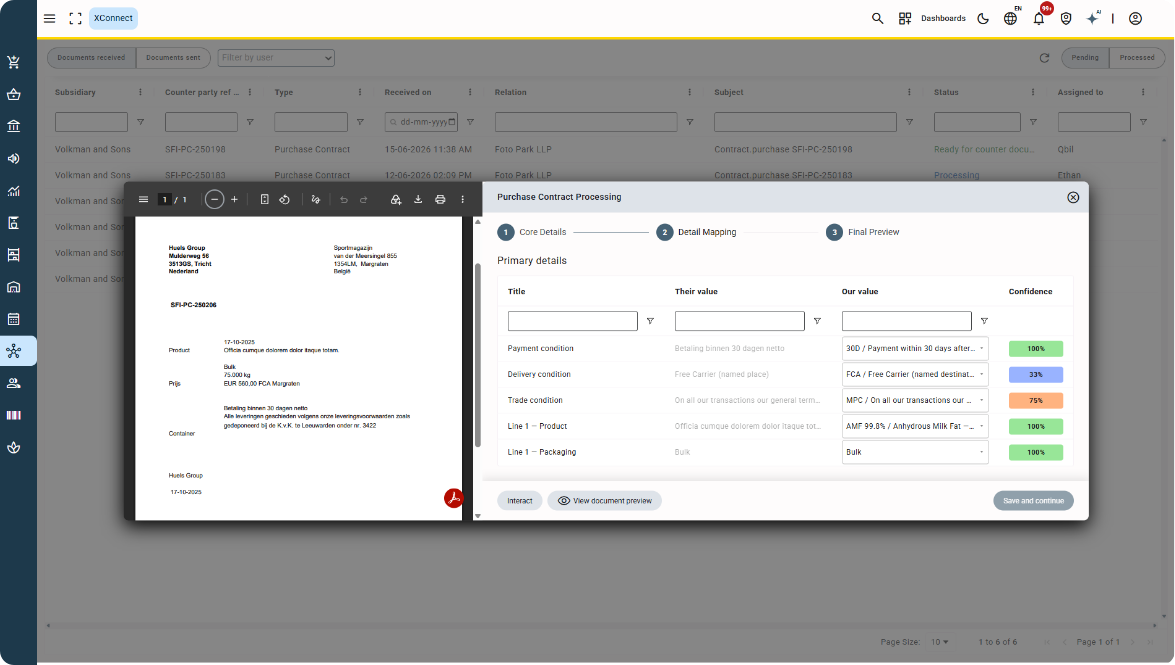
The receiving party can review the information and map received values to their own data, including product codes, packaging and terms.
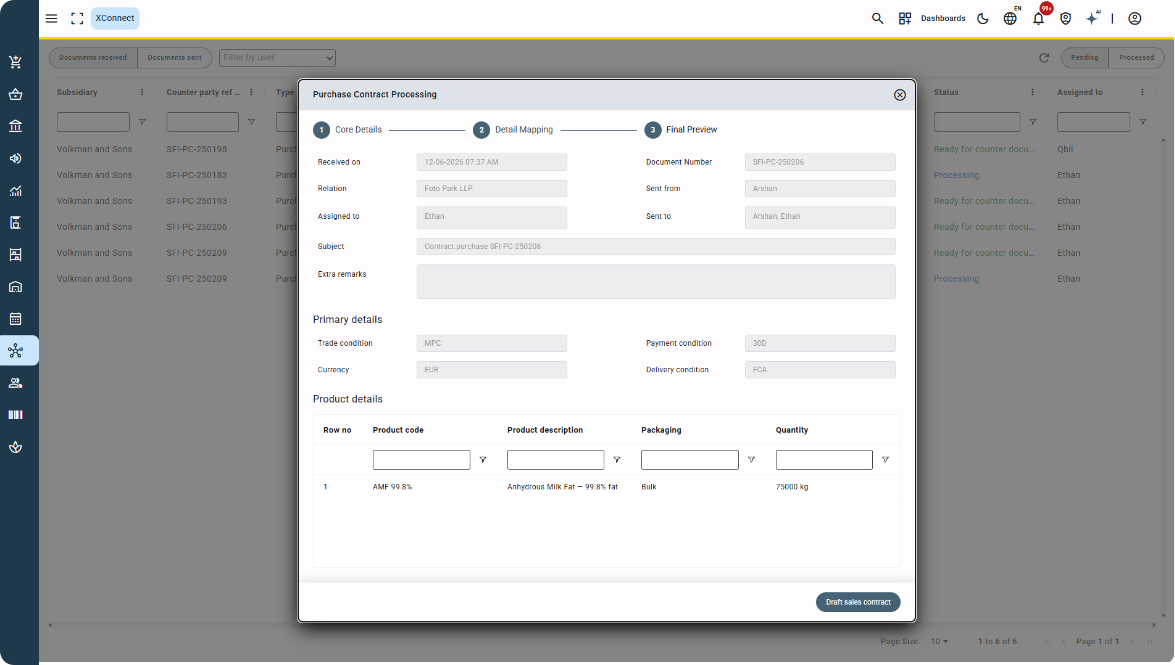
Moo can then use the received information to create an automatically populated draft counter contract.
A confidence score helps with mapping values and uses previous Contracts with the same trading partner to indicate how confident the system is about a suggested match.
Know where your Contract stands
Both parties can follow the Contract throughout the process.
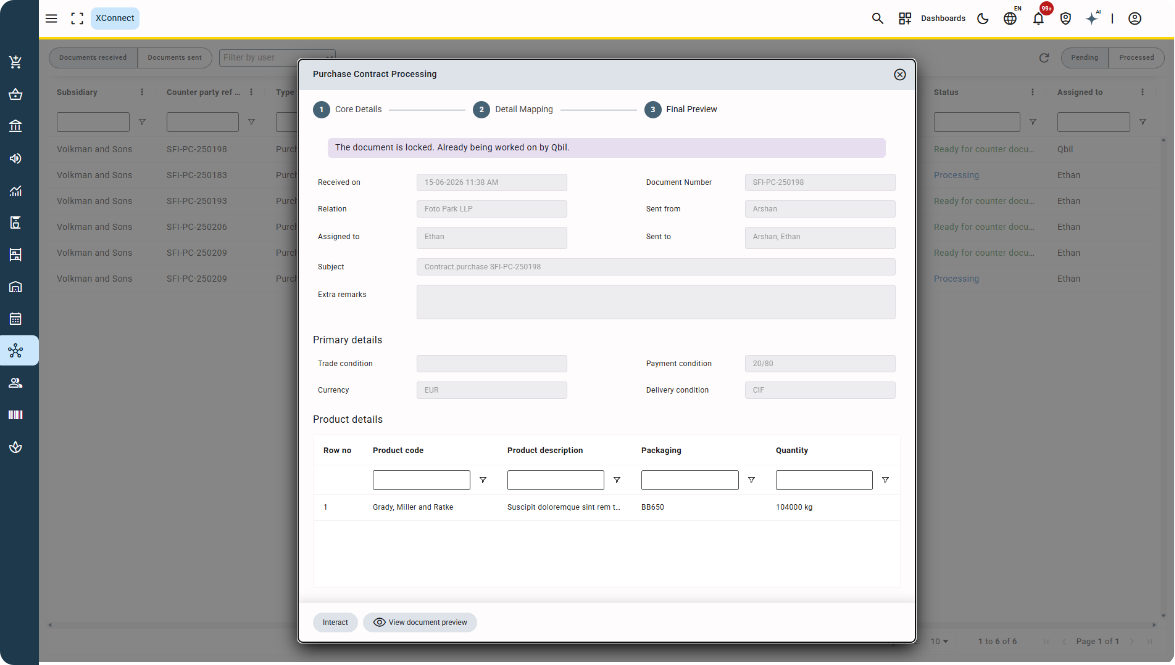
The Documents sent and Documents received tabs provide a clear overview of exchanged Contracts and their status, with a full audit trail.
That means less retyping, fewer opportunities for manual errors and a clearer way to exchange information with your trading partners.
And if your trading partner isn’t connected?
You can keep working exactly as you do today.
If your trading partner isn’t connected to XConnect, the regular email option remains available.
So you can use XConnect where possible, without changing the way you work with other trading partners.
XConnect currently focuses on the exchange of Contracts.