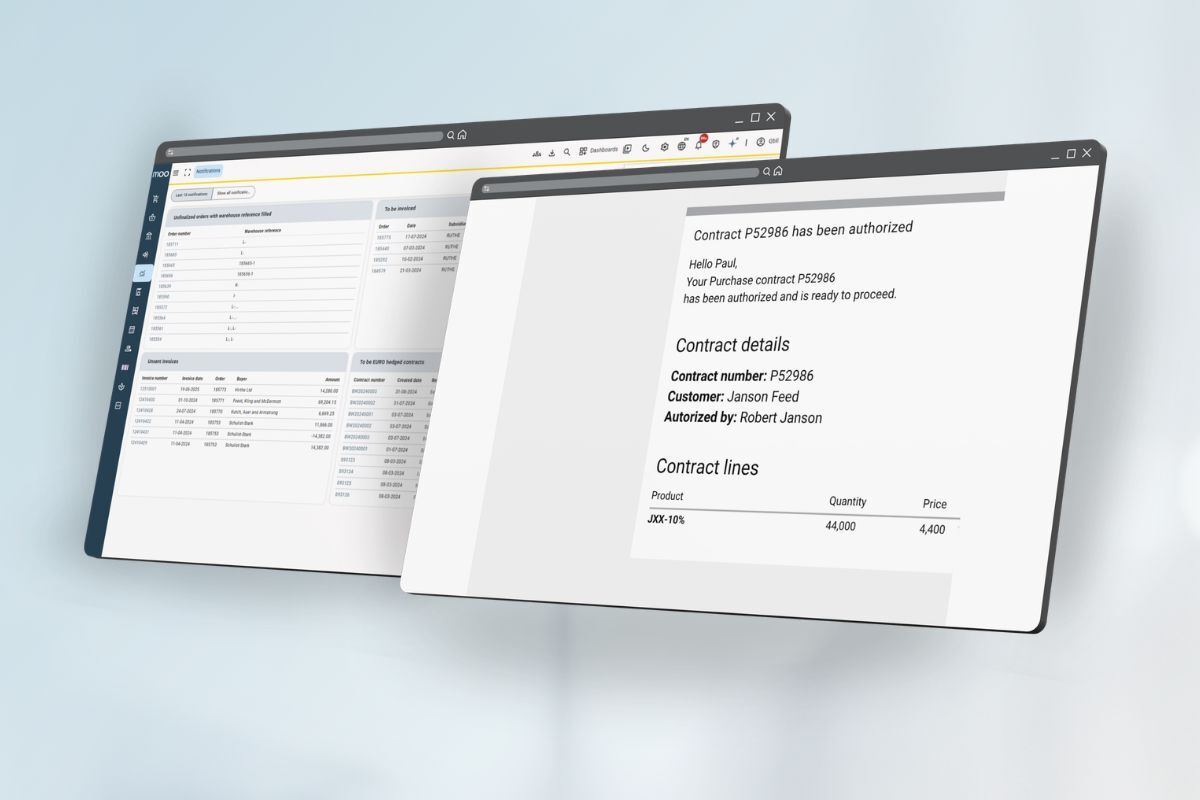

Managing trades in Excel creates real operational risk. When your trading data lives in spreadsheets, a single formula error, a missed update, or a version conflict can silently corrupt the numbers you rely on to make buying and selling decisions. For dairy ingredient traders specifically, where contracts, positions, and logistics are all connected, these risks compound quickly. Below, we unpack the most common failure points so you can see exactly where the cracks appear.
What goes wrong when a formula error hits a live trade?
A formula error in a live trading spreadsheet can cause you to misread your position, overpromise on inventory, or invoice at the wrong price. Because spreadsheet cells reference each other, one broken formula can cascade silently across rows and tabs. By the time the error surfaces, it may already have influenced a contract decision or a customer commitment.
The most damaging part is not the error itself but the delay in discovering it. Unlike a dedicated system that validates data on entry, a spreadsheet accepts whatever you type. A copied formula that pulls from the wrong column will not raise an alert. It will simply produce a number that looks plausible. Traders then act on that number, and the mistake only becomes visible when a delivery does not match an invoice, or when a position report contradicts what the logistics team is seeing on the ground.
In ingredient trading, where contract volumes, delivery windows, and price layers are all interdependent, a single corrupted cell can distort your entire open position. The fix often requires tracing back through file history manually, which costs time and confidence in the data you are working with.
Why do spreadsheets break down as trading volume grows?
Spreadsheets break down as trading volume grows because they are designed for one person working with static data, not for multiple people managing live, interconnected transactions. As you add more contracts, more counterparties, and more product lines, the spreadsheet structure that once felt manageable becomes a source of confusion and error rather than clarity.
When two people need to update the same file simultaneously, version conflicts appear. One person saves their changes while another has an older copy open, and the most recent data gets overwritten without warning. Teams respond by creating separate files for each trader or product category, which solves the conflict problem but creates a new one: your data is now fragmented across a dozen files, and nobody has a complete picture of the business.
Trading volume also brings more complexity to each individual transaction. A contract that once had two price tiers now has five. A customer that once ordered one product now orders six. Each layer of complexity adds more manual steps, more formulas, and more opportunity for things to go wrong. The spreadsheet does not adapt to that growth. You adapt to the spreadsheet, and eventually the workarounds become the workflow.
What trading data is most likely to get lost or duplicated in Excel?
The trading data most likely to get lost or duplicated in Excel includes open contract positions, partial delivery records, price adjustments, and communication history attached to specific trades. These are all pieces of information that change frequently, exist across multiple files, and depend on manual updates to stay current.
Position data is particularly vulnerable. If your open positions live in one file and your logistics updates live in another, the two will drift apart unless someone reconciles them manually every day. That reconciliation step is easy to skip when things get busy, and once the files are out of sync, you are effectively making decisions from incomplete information.
Duplicate entries are another common problem. When a trade is logged by two different people working from separate files, or when a contract amendment is added as a new row instead of updating the original, you end up with conflicting records. Resolving duplicates takes time and introduces doubt about which version is accurate. In a fast-moving trading environment, that doubt is a real operational cost.
How does poor trade visibility lead to missed deliveries or contract errors?
Poor trade visibility leads to missed deliveries and contract errors because decisions get made without a complete, current view of what has been committed and what is outstanding. When your contract data, logistics status, and inventory levels exist in separate places and are not updated in real time, the gaps between them become the source of operational mistakes.
A common scenario: a sales team member agrees to a delivery date based on what the inventory spreadsheet showed that morning, not knowing that a logistics update from the previous afternoon had already allocated that stock to a different order. The commitment is made in good faith, but the data was stale. The customer expects a delivery that cannot happen, and the relationship takes a hit that a better system would have prevented.
Contract errors follow a similar pattern. When contract terms are stored in a spreadsheet and amendments are tracked through email threads, it is easy for the most current version of an agreement to be unclear. The wrong price gets invoiced, or a volume tolerance gets missed, not because anyone was careless but because the information was never in one place to begin with. Visibility is not just about seeing data. It is about seeing the right data at the right moment, and spreadsheets are structurally unable to provide that in a multi-person trading operation.
When does Excel stop being good enough for ingredient trading?
Excel stops being good enough for ingredient trading when more than one person needs to work with the same data, when your position management requires real-time accuracy, or when the time you spend maintaining spreadsheets starts to compete with the time you spend trading. For most growing dairy ingredient businesses, that moment arrives earlier than expected.
The trigger is rarely a single dramatic failure. More often, it is a gradual accumulation of small inefficiencies: a delivery that was nearly missed, a position report that took too long to produce, a new team member who struggled to understand the file structure. Each incident is manageable on its own, but together they signal that the system is working against you rather than for you.
In the context of Excel vs trading software, the honest comparison is not about features. It is about fit. Excel is a general-purpose tool. Ingredient trading is a specific, operationally connected activity with real-time dependencies. A tool built for one does not serve the other well beyond a certain scale. When you find yourself spending more time managing the spreadsheet than managing the trade, that is the moment Excel has stopped being good enough.
What should dairy traders look for in a trade management system?
Dairy traders should look for a trade management system that handles contracts, positions, logistics, and invoicing in a single connected environment, with real-time visibility across all of them. The system should reflect how dairy ingredient trading actually works, not how a generic ERP vendor imagines it works.
Specifically, the most important capabilities to evaluate are:
- Contract and position management: The ability to see your open commitments, partial deliveries, and remaining obligations in one place, updated automatically as transactions are processed.
- Order and logistics coordination: Tools that connect what has been sold to what needs to be shipped, so your logistics team and trading team are always working from the same information.
- Integration with your accounting system: Automatic transaction processing that reduces manual data entry and keeps your financial records aligned with your trading activity.
- Speed of implementation: A system that takes months to configure is a barrier, not a solution. Look for something that can be operational quickly without requiring a large IT project.
- Pricing that fits your size: Smaller trading businesses should not pay for capabilities they do not need. A flexible structure where you pay for what you actually use makes it practical to start without overcommitting.
For dairy ingredient traders specifically, the system should also support international trade, including multilingual documents and the ability to manage transactions across different currencies and geographies. Generic ERP platforms often treat these as add-ons. A system built for this industry treats them as standard.
Abbiamo costruito Moo Software specifically for this type of business. If you are trading in milk powder, whey, butter, cheese, or plant-based ingredients and you are starting to feel the limits of your current setup, we would be glad to show you what a purpose-built system looks like in practice. You can contattaci directly to ask questions or arrange a walkthrough.
Domande Frequenti
How do I know if my current spreadsheet setup is actually putting trades at risk, or just feels inefficient?
Look for these specific warning signs: position reports that require manual reconciliation across multiple files, delivery commitments made without real-time inventory confirmation, or invoice discrepancies that were only caught after the fact. If any of these have happened even once in the past quarter, the risk is real, not just perceived. The danger with spreadsheet-based trading is that the system can appear to be working fine right up until it fails in a way that costs you a customer or a margin point.
Can I reduce spreadsheet risk with better Excel practices, like stricter naming conventions or protected cells, instead of switching systems?
You can reduce risk at the margins, but you cannot eliminate the structural problems. Protected cells prevent accidental overwrites, and naming conventions help with file navigation, but neither solves the core issues: no real-time multi-user access, no data validation on entry, and no automatic sync between contract, logistics, and financial records. These improvements are worth making if a system migration is not yet feasible, but treat them as a temporary measure rather than a long-term solution.
What does the transition from Excel to a trade management system actually look like, and how disruptive is it?
The transition typically involves migrating your open contracts and active counterparty data into the new system, configuring your product catalog and pricing structures, and running both systems in parallel for a short period to validate accuracy. The disruption level depends heavily on how well your data is currently organized and how quickly your team adopts the new workflow. A purpose-built system designed for dairy ingredient trading should be operational within weeks, not months, and the parallel-running phase is usually the most intensive part of the process.
How should I handle historical trade data when moving to a new system — do I need to migrate everything?
In most cases, you do not need to migrate your full historical archive into the new system. The priority is migrating open positions, active contracts, and any outstanding logistics or invoicing obligations. Completed historical trades can typically remain in your spreadsheets or be archived separately and referenced when needed. Trying to migrate years of historical data often adds significant time and cost to the implementation without providing meaningful operational benefit from day one.
What is the biggest mistake dairy ingredient traders make when evaluating trade management software?
The most common mistake is evaluating software based on feature lists rather than workflow fit. A system can have hundreds of capabilities but still require you to adapt your trading process around its logic rather than the other way around. Dairy ingredient trading has specific characteristics — layered pricing, partial deliveries, international documentation, multi-currency contracts — that generic platforms handle awkwardly. Always ask vendors to walk through your actual day-to-day scenarios, not a scripted demo, to see where the fit breaks down.
How do multi-currency and international trade requirements complicate spreadsheet management, and what should a system handle instead?
In a spreadsheet environment, multi-currency trading typically means manually maintaining exchange rate tables, applying conversions through formulas, and reconciling currency differences across separate files for contracts, logistics, and invoicing. Each of these steps is a point of failure. A purpose-built trade management system should handle currency conversion automatically, generate compliant trade documents in multiple languages, and ensure that your position reporting reflects the correct values regardless of the currency the contract was denominated in.
At what trading volume or team size should a dairy ingredient business seriously start planning a system migration?
There is no universal threshold, but a practical rule of thumb is this: if you have more than one person actively managing trades, more than 20–30 open contracts at any given time, or if your reconciliation and reporting tasks are consuming more than a few hours per week, the business case for a dedicated system is already there. The cost of staying on spreadsheets — in time, error risk, and missed visibility — typically exceeds the cost of a purpose-built solution sooner than most traders expect.